UI Demo
Saturday, August 29, 2026
The Factor UI framework is a tree of gadgets — labels, buttons, tracks, tables, panes, and others. While we have pretty good documentation in some places, sometimes it can be a little sparse in others. For learning, nothing beats seeing how a gadget actually looks and what the code that generates it looks like.
Recently, I wrote a ui-demo vocabulary. At the moment, it contains one section per gadget type. You can click around and see some examples.
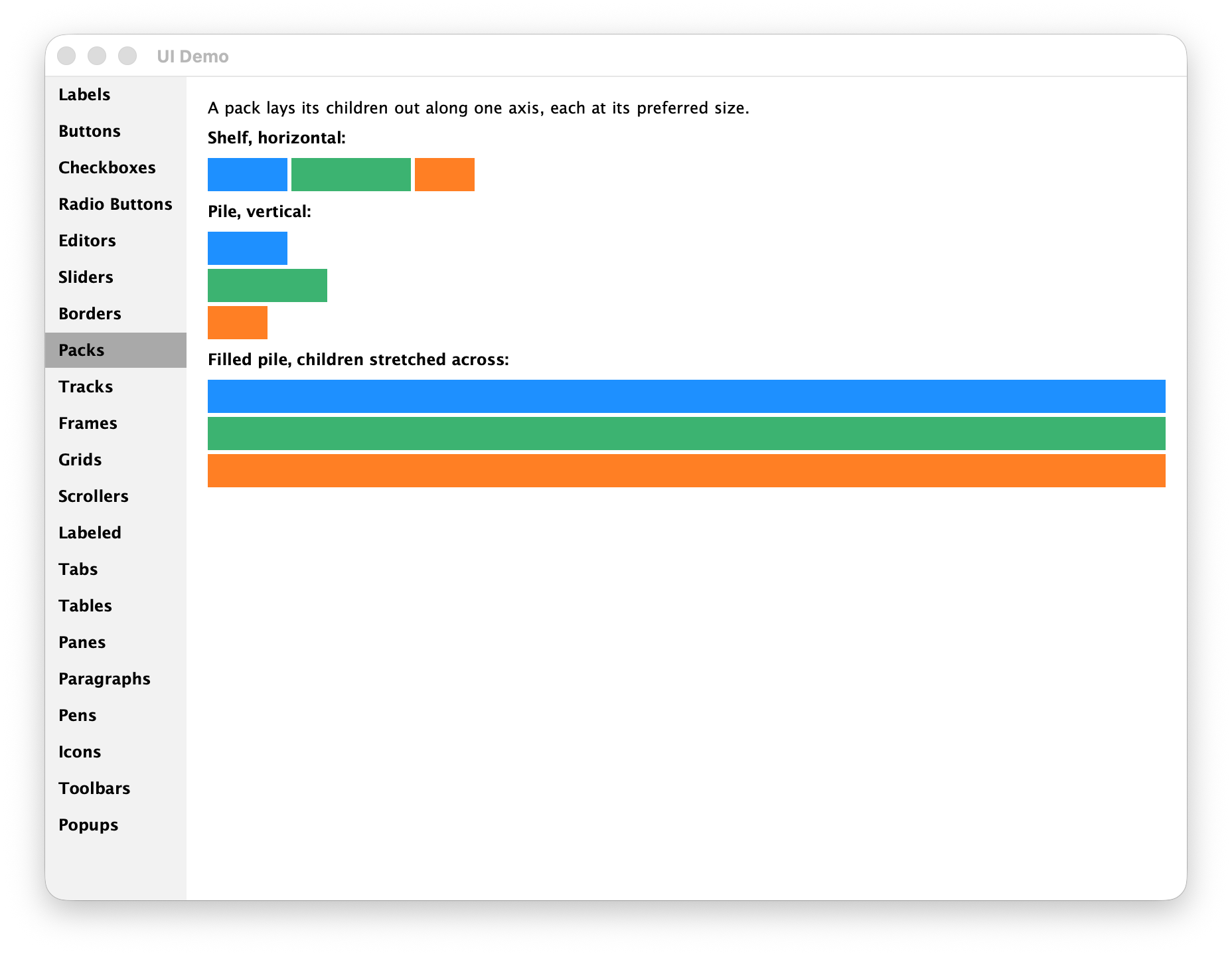
Each section right now is one small word. For example, here is the whole packs section shown above:
: <three-boxes> ( pack -- pack )
    { 3 3 } >>gap
        COLOR: DodgerBlue { 60 25 } <color-box> add-gadget
        COLOR: MediumSeaGreen { 90 25 } <color-box> add-gadget
        COLOR: chocolate1 { 45 25 } <color-box> add-gadget ;

: <packs-section> ( -- gadget )
    <section>
        "A pack lays its children out along one axis, each at its preferred size." <prose> add-gadget
        "Shelf, horizontal:" <heading> add-gadget
        <shelf> <three-boxes> add-gadget
        "Pile, vertical:" <heading> add-gadget
        <pile> <three-boxes> add-gadget
        "Filled pile, children stretched across:" <heading> add-gadget
        <filled-pile> <three-boxes> add-gadget
    <page> ;
You can check it out from within a Factor listener:
IN: scratchpad "ui-demo" run
Or try ./factor -run=ui-demo from the command line.